.png)
How do I remove a product from my subscription?Updated 3 months ago
1. Log in to your account. Not sure how to log in? Instructions can be found here.
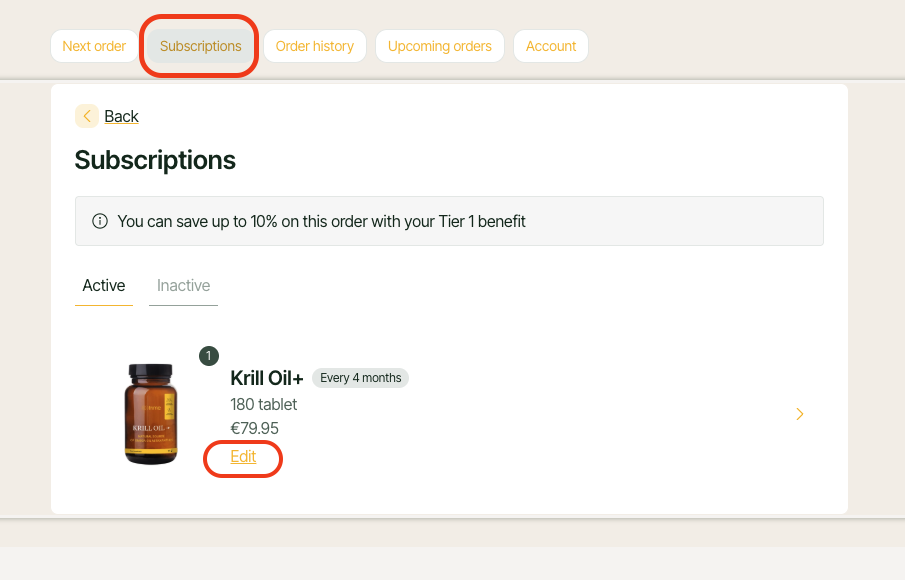
2. Click on the "Subscriptions" tab.
3. You will see an overview of all the products you currently subscribe to.
4. Find the product you want to unsubscribe from and click on "Edit".
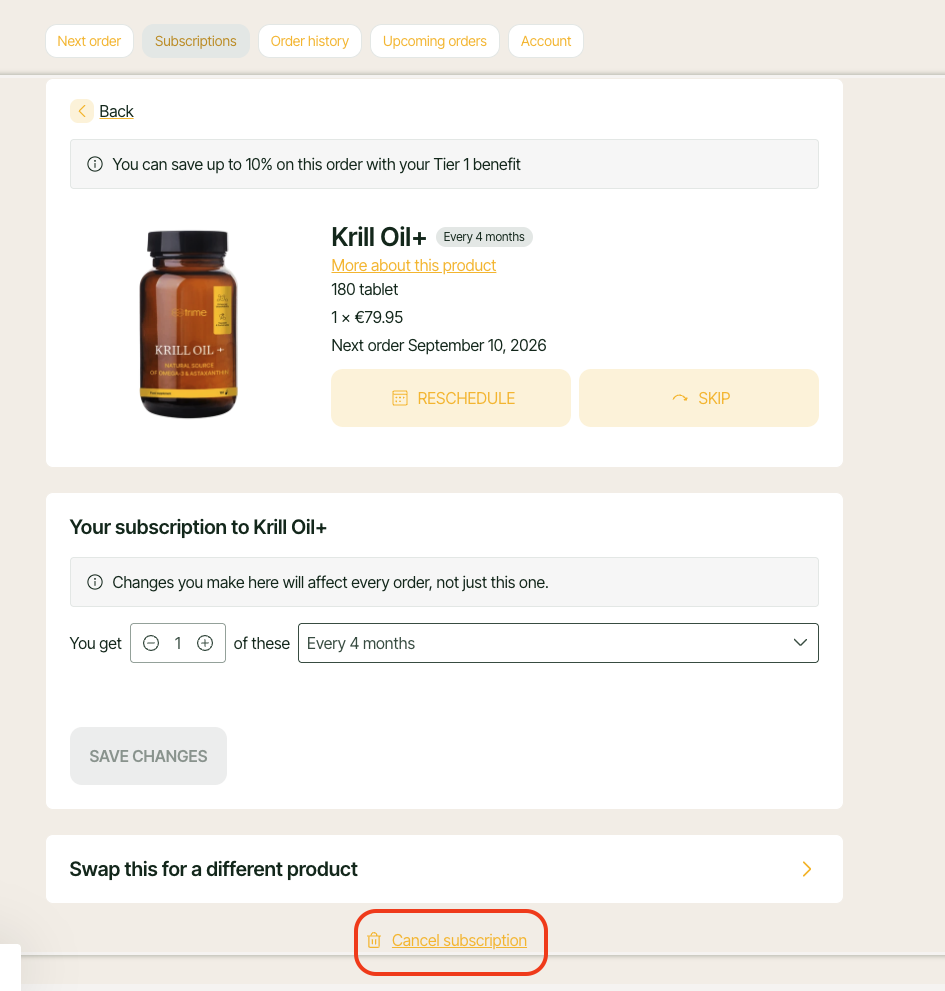
5. Select "Cancel subscription" from the menu.
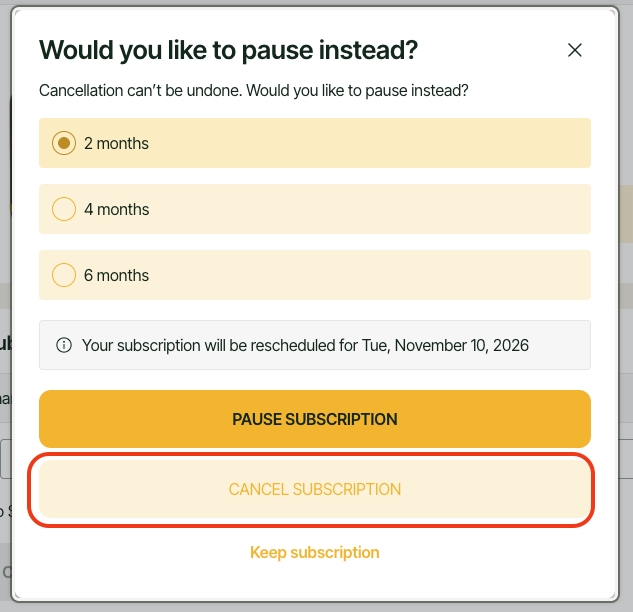
6. A window will appear with the option to postpone delivery—if you really want to cancel the product, click "Cancel subscription".
You can also use the "Exchange for another product" option if you want to replace the ordered product with another one.